
Project tracker
Always know where your product stands.
Every Shay Labs project comes with its own tracker. One page shows the stage you are in, who has the next move, and the date you will hear from us next. No chasing, no guessing.
The demo follows a made-up brand. Nothing in it is saved or sent.
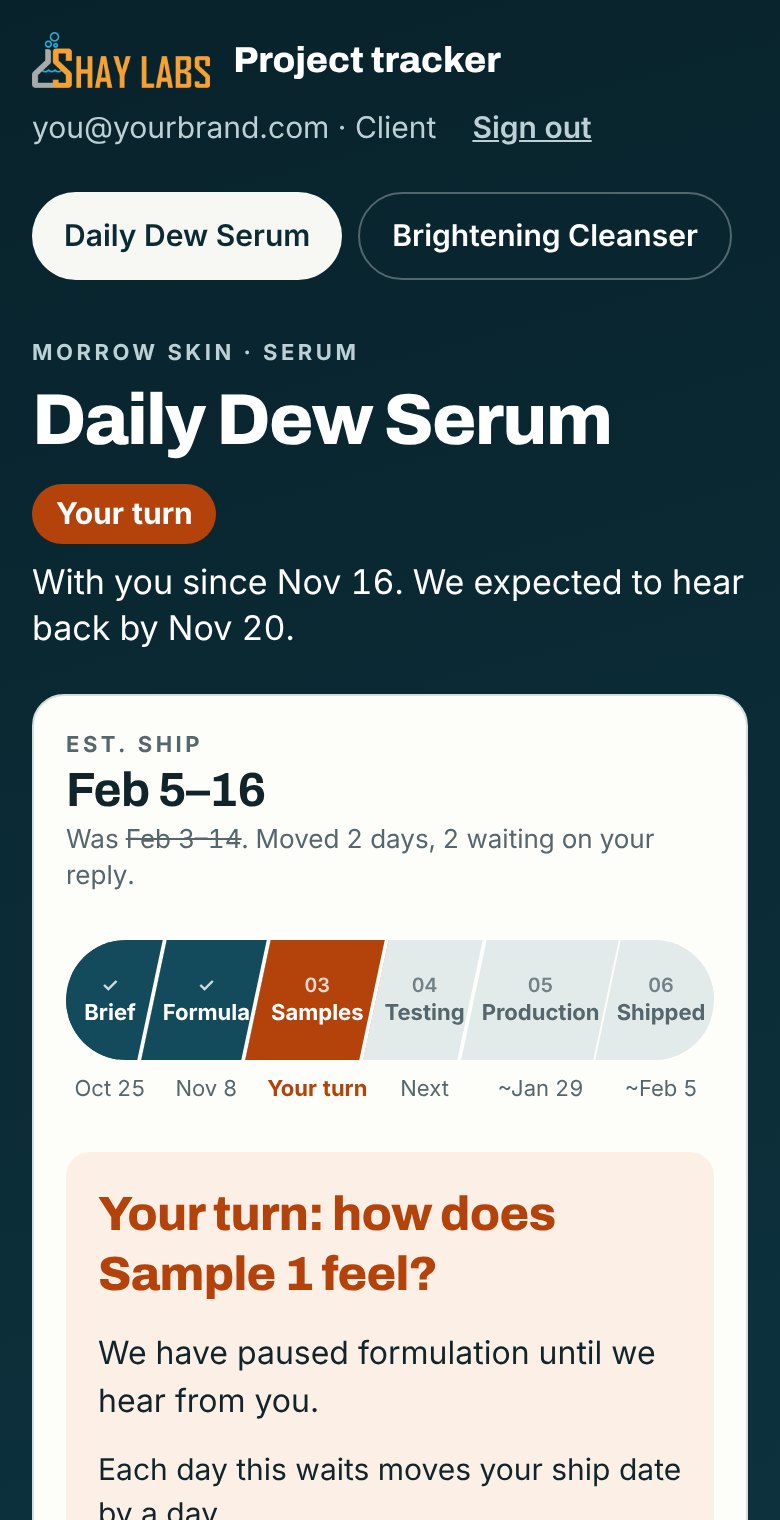
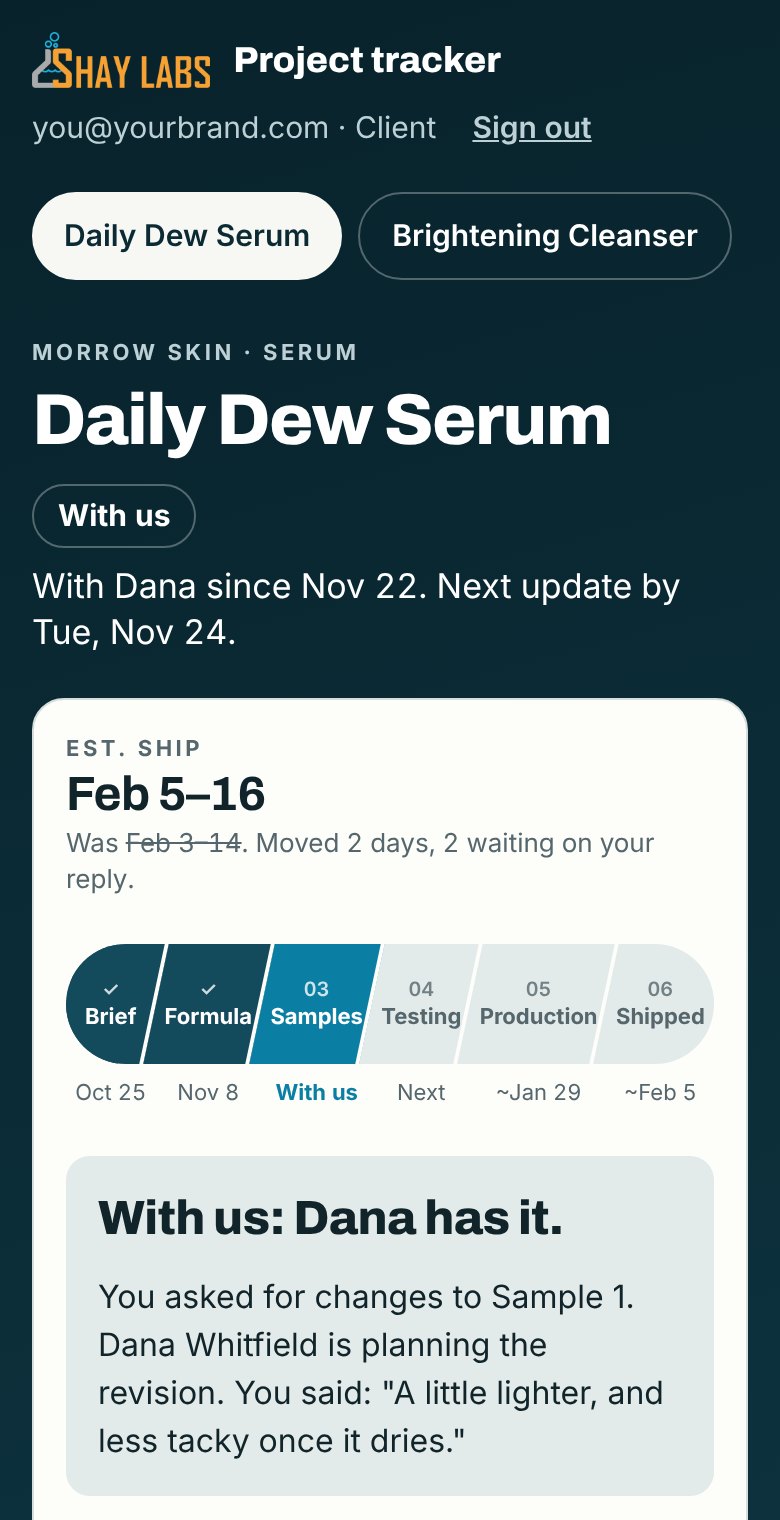
What a customer sees once signed in. Scroll it and try the buttons.What a customer sees: their turn, then the screen after they answer. Tap the phone to try it.
What you see
The whole project on one page.
- 01
Whose turn it is
A project is always with someone: you or us. The first line on the page says who, since when, and the date the next move is due.
- 02
Six stages, one bar
Brief, Formula, Samples, Testing, Production, Shipped. Finished stages show the day they closed. Tap any stage to read what happened in it.
- 03
A ship date that keeps up
Your estimated ship window moves when the project does. If it slips, the tracker says by how many days and what it was waiting on.
- 04
Your steps, with dates
Payments, packaging choices, artwork and approvals sit in one list, each with a due date. Approve an artwork proof or a production run from the same page.
- 05
Feedback that lands
Tell us how a sample feels and what to change. It goes straight to your formulator, whose name is on the page, and the next date is set.
- 06
A dated history
Every hand-off is logged with its date and a plain-language update, so anyone on your team can catch up in a minute.
How it reaches you
No new password. No app to install.
- Shay Labs
We invite you by email
Your tracker opens when your project starts. Everyone on your team who needs to follow it gets their own invite.
- You
You sign in with a link
Enter your email and we send a link that signs you in. It works on a phone or a computer.
- You and Shay Labs
We email you when it is your turn
The email carries our update, the date to answer by, and a button that opens your project.
See it for yourself
Follow a product from brief to shipped.
Open the demo and play the client: give feedback on a sample, approve a step, and watch the next date appear. Then tell us what you want to make.